Loading…
Features
Everything it does
CluePilot is a small app with a narrow job: get you a good answer fast, without sending your data anywhere you did not choose.
Six response modes
The same question, shaped for the moment you are in. The mode is part of the system prompt, not a post-processing step.
| Mode | What you get |
|---|---|
| Concise | Four sentences at most, phrased to be said out loud. |
| Interview | First-person prose — the words you would actually say. |
| Technical | Mechanism-level depth: how it works, when it matters, how it fails. |
| STAR | Situation, Task, Action, Result — with placeholders where you have not supplied facts. |
| Coding | Approach, then code, then complexity, then the edge cases that break naive solutions. |
| System Design | Requirements → APIs → architecture → data → caching → scale → reliability → trade-offs. |
Ask from anywhere
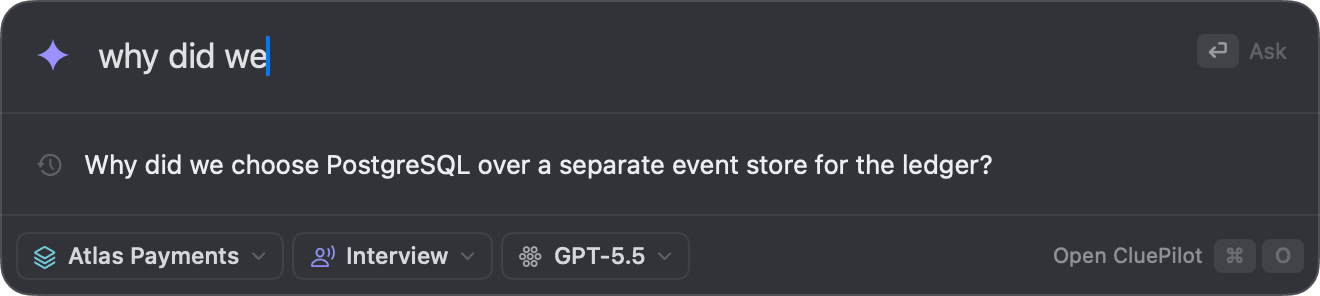
Press ⇧⌘Space in any app and the Command Center opens over it — one field, already focused. Ask, and the answer streams right there. ⌘O carries the conversation into the full window when you want room to read.
Autocomplete from your history
Start typing and questions you have asked before are offered, best match first. ↑↓ to choose, ↩ to ask, ⇥ to complete.
Slash commands
/code, /star, /system-design, /explain switch the mode and send the rest. /context, /history and /new jump straight there.
It knows your projects
Mention a project by name and CluePilot offers to ground the answer in that Context Space.
Ask about your clipboard
Copy a question anywhere, press ⌘⇧V. The clipboard is read at that instant only — never polled.
Speak it
⌘⇧D dictates using Apple's on-device transcriber. The live transcript appears as you talk.
Keyboard first
⌘K for every action, ⌘1–3 to move between Ask, Spaces and History, esc to step back. The whole app works without a mouse.
Answers grounded in your documents
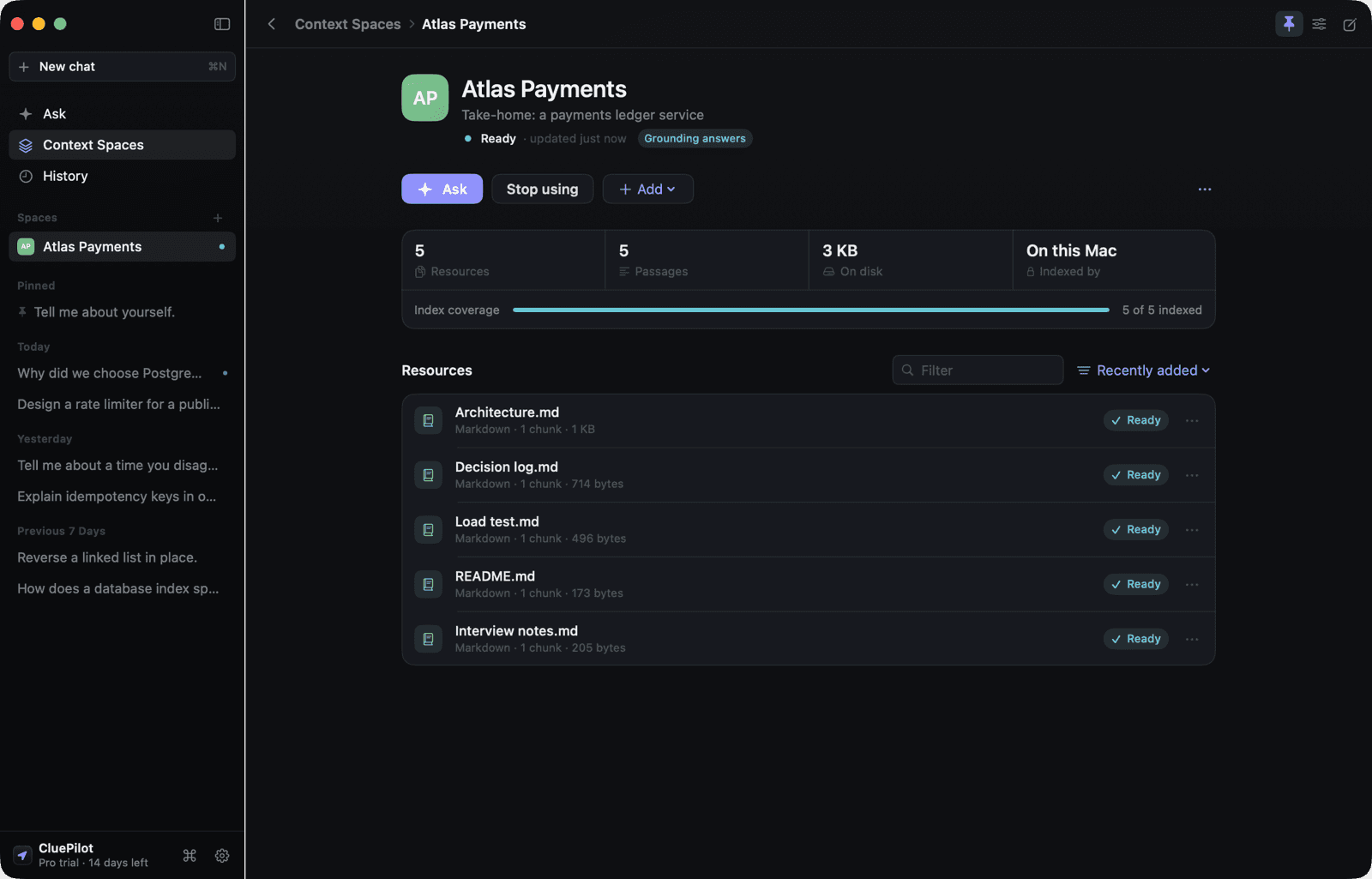
Create a Context Space for a project and add the brief, the README, notes, screenshots or a web page. CluePilot indexes them on your Mac and answers from them — and shows you exactly what it used.
Sources you can open
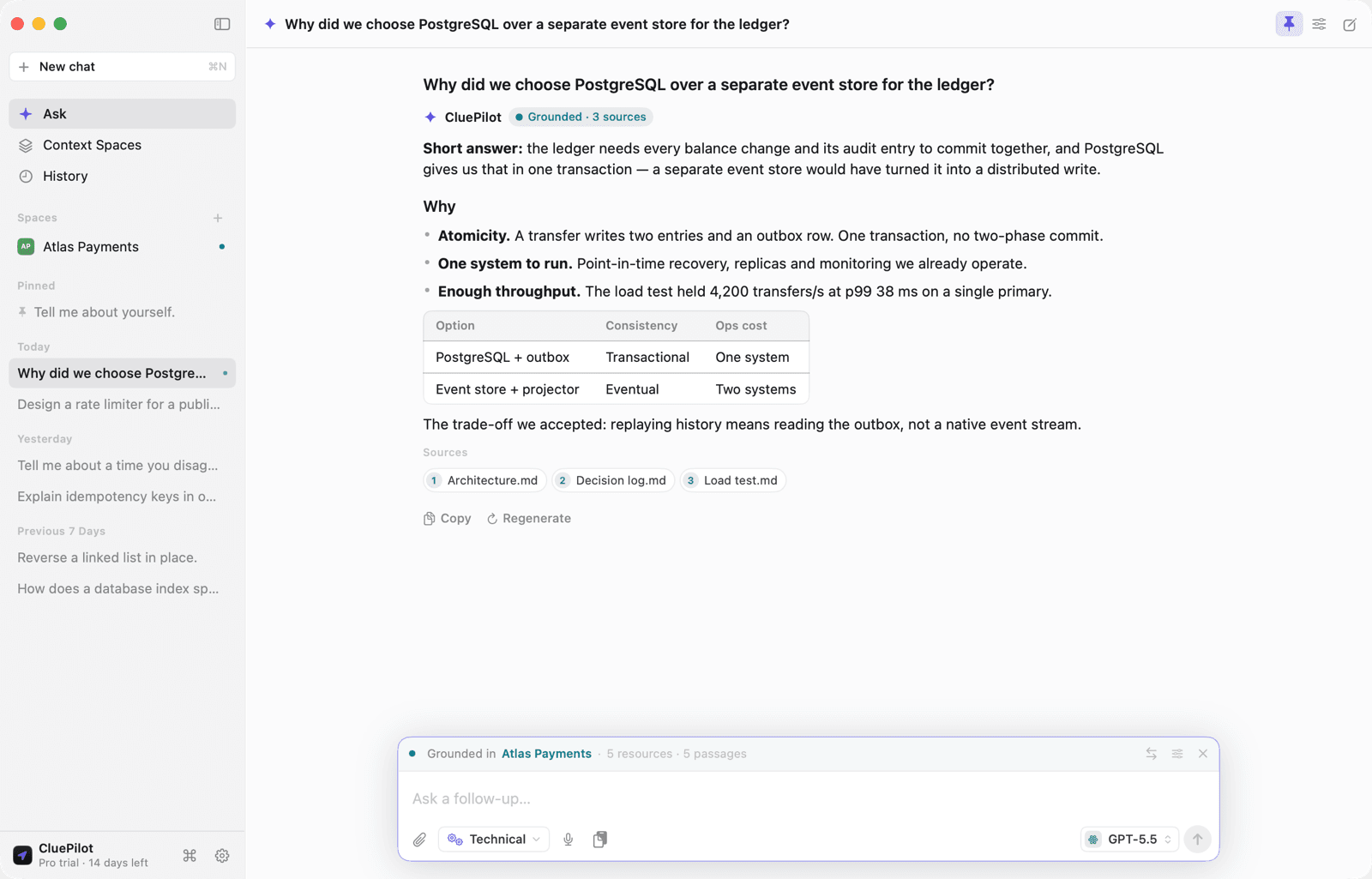
Every grounded answer lists the documents it drew on. Click one to read the exact passage the model was given.
Honest provenance
Grounded, partially grounded or general knowledge — judged from what was actually sent, never guessed.
Real indexing status
Queued, indexing, ready or failed with the reason. Coverage shows how much of the space the model can search.
Indexed on this Mac
On-device embeddings by default — nothing leaves your Mac to build the index.
Drop anything in
PDF, Word, RTF, Markdown, text, code, images and web pages. Drag them onto the space.
Thinking you can see
While an answer is on its way you see the real steps: searching the space, how many passages matched, waiting for the model.
Works with every meeting app
There is no Zoom integration, no Teams integration, no Google Meet integration — and that is the feature. CluePilot is a Mac window that floats over whatever is on screen, so it behaves identically on every conferencing app, including whichever one your next interviewer uses that nobody has heard of yet.
Practice listening is built so that it cannot be run quietly. It never starts on its own, it asks for consent the first time, it shows a red indicator for the whole session, and it stops itself after an hour — and while it is listening, CluePilot stays visible to screen sharing and in the Dock, overriding both hiding switches. You cannot listen and hide at the same time.
Zoom, Meet, Teams, Chime
Plus Webex, GoTo, Whereby, Slack huddles and Discord. Nothing to install per app, nothing to configure, and nothing that breaks when one of them ships a new client.
Over full screen, on every Space
Pin it and the window floats above a full-screen call. Unpin it and it behaves like any other Mac window, full screen and all.
Coding assessments too
HackerRank, CodeSignal, CoderPad — copy the prompt, press ⌘⇧V, and it is the question. Live captions and chat panes work the same way.
Hear your practice runs
⌘⇧L transcribes what your Mac is playing, on-device, so a mock interview does not mean pausing to retype the question you were just asked. Pro, and off until you turn it on.
One audio path, not five
Every conferencing app plays through the same macOS audio graph, so a single capture hears all of them. Matching them app by app would mean chasing bundle identifiers forever.
Nothing is uploaded
Transcription runs on your Mac using Apple's on-device model, exactly like dictation. No audio and no transcript leaves the machine.
Answers that sound like you
By default the app is told never to invent your experience — which is right, but it means behavioural answers come back full of [your metric here]. Give it your background once in Settings ▸ You and that stops.
Whatever you write is fenced into the prompt and the model is instructed to use only what is there — never to extrapolate past it. If your background does not cover the question, it says so instead of filling the gap.
Eight providers, one interface
Every provider is configured the same way, and switching model is one click in the composer. Keys live in the macOS Keychain and are never shown again after you save them.
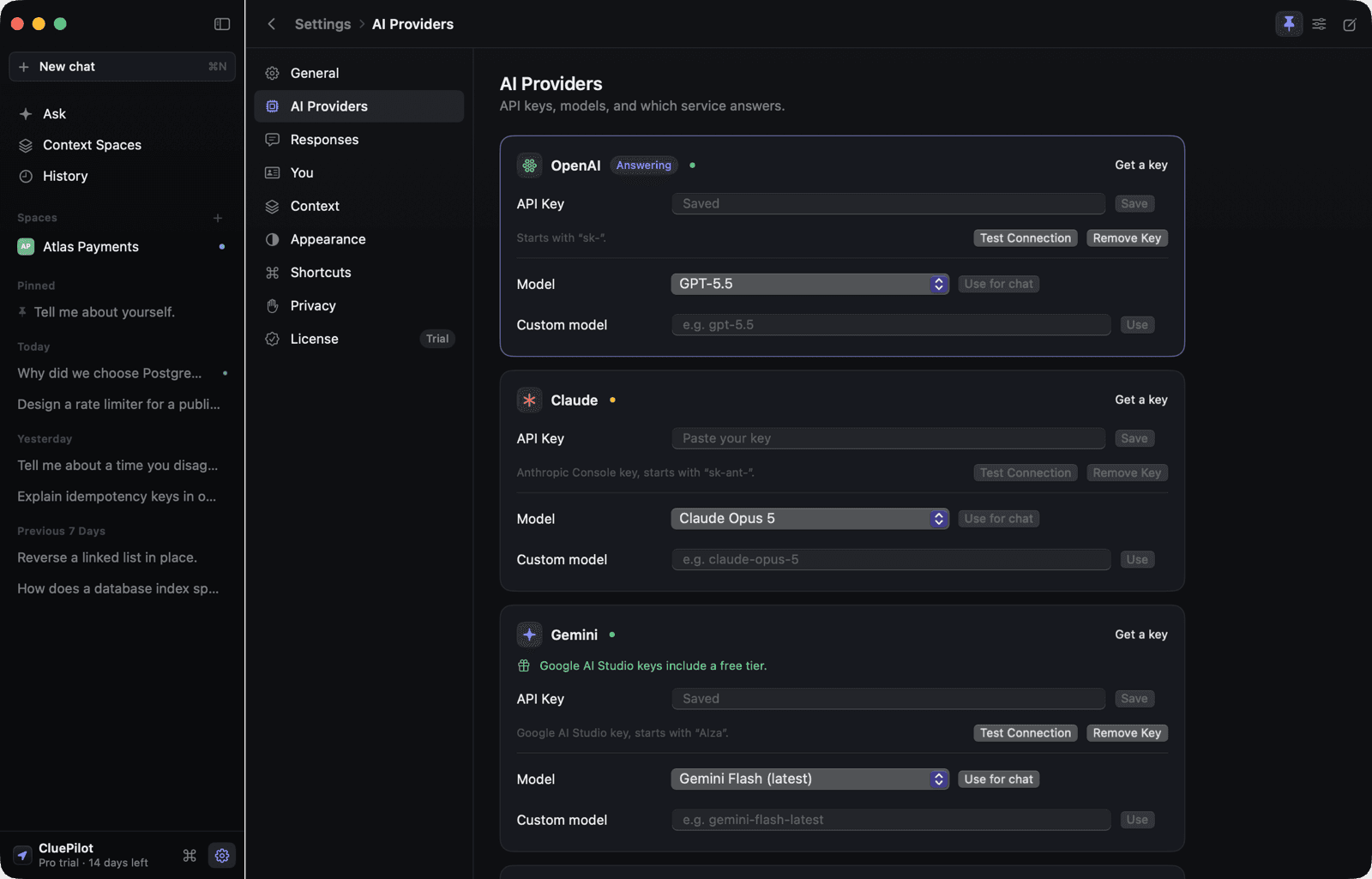
Real connection tests
Test Connection makes an actual authenticated call and reports what came back — not a guess.
Live model lists
Models are fetched from the provider, so a new release never leaves you stuck on a stale list.
Second opinion
Put the same question, with the same sources, to another model and read the answers side by side.
Streaming everywhere
Every provider streams, and every request can be cancelled mid-answer.
A real Mac app
A sidebar when you have room, a focused composer when you do not. It remembers its size and position, goes full screen, and can float above every other app, on every Space.
Frosted glass
Slide the window from solid to frosted glass. The blur stays on and the tone never thins past readable, so text stays crisp over any wallpaper.
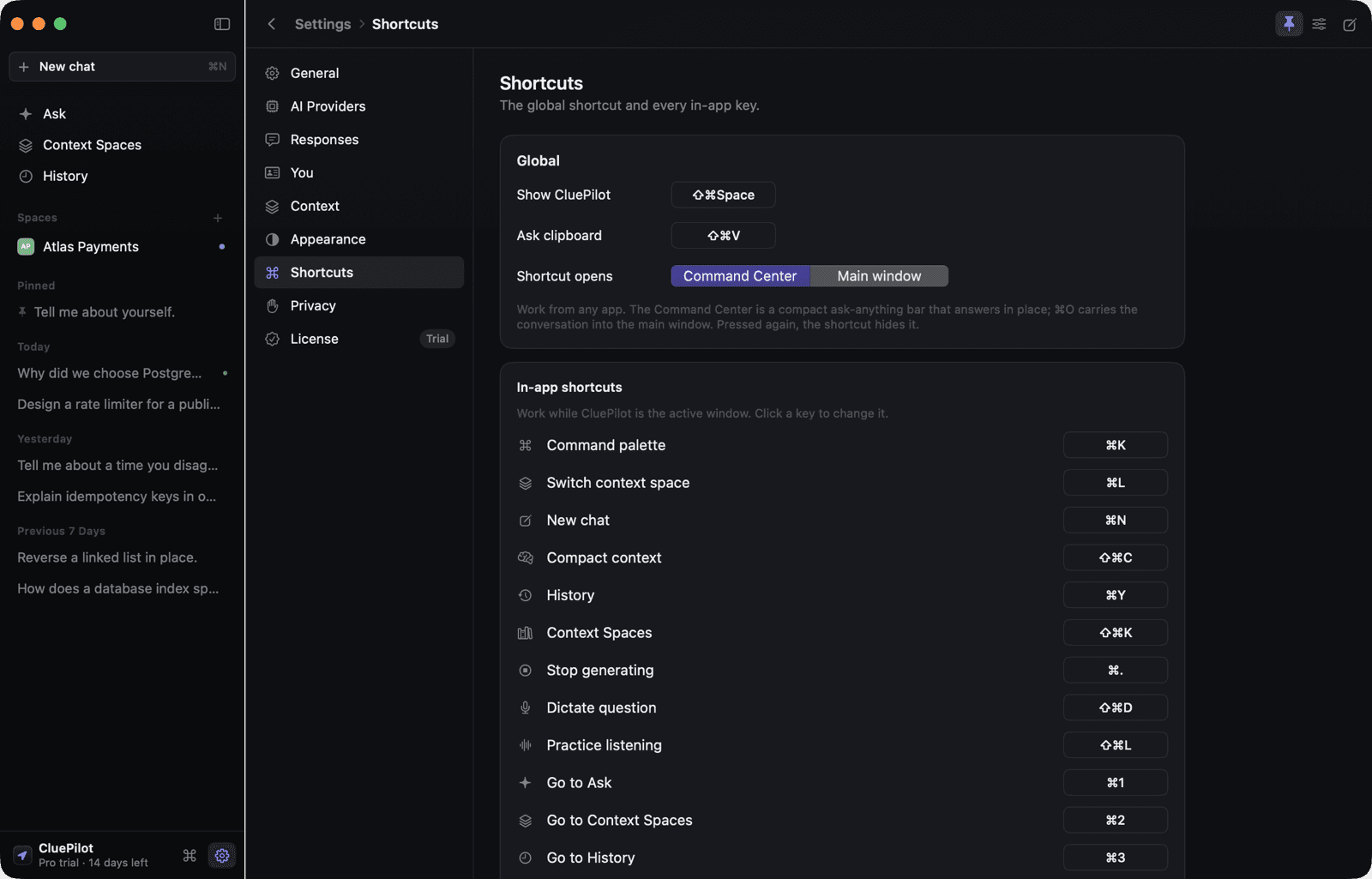
Rebindable shortcuts
The global shortcut and every in-app command can be changed. A combination already in use is refused with an explanation.
Light and dark
Designed for both — dark first — and follows the system unless you pin one.
Accent themes
Indigo by default; Mint, Violet, Amber, Ocean, Rose and Graphite if you prefer.
Your typeface
System, Rounded, Serif or Monospaced, applied everywhere. Code blocks stay monospaced so snippets line up.
Menu bar or Dock
Reachable from both, plus the shortcut. Hide the Dock icon entirely if you prefer a menu-bar utility.
History, kept on your Mac
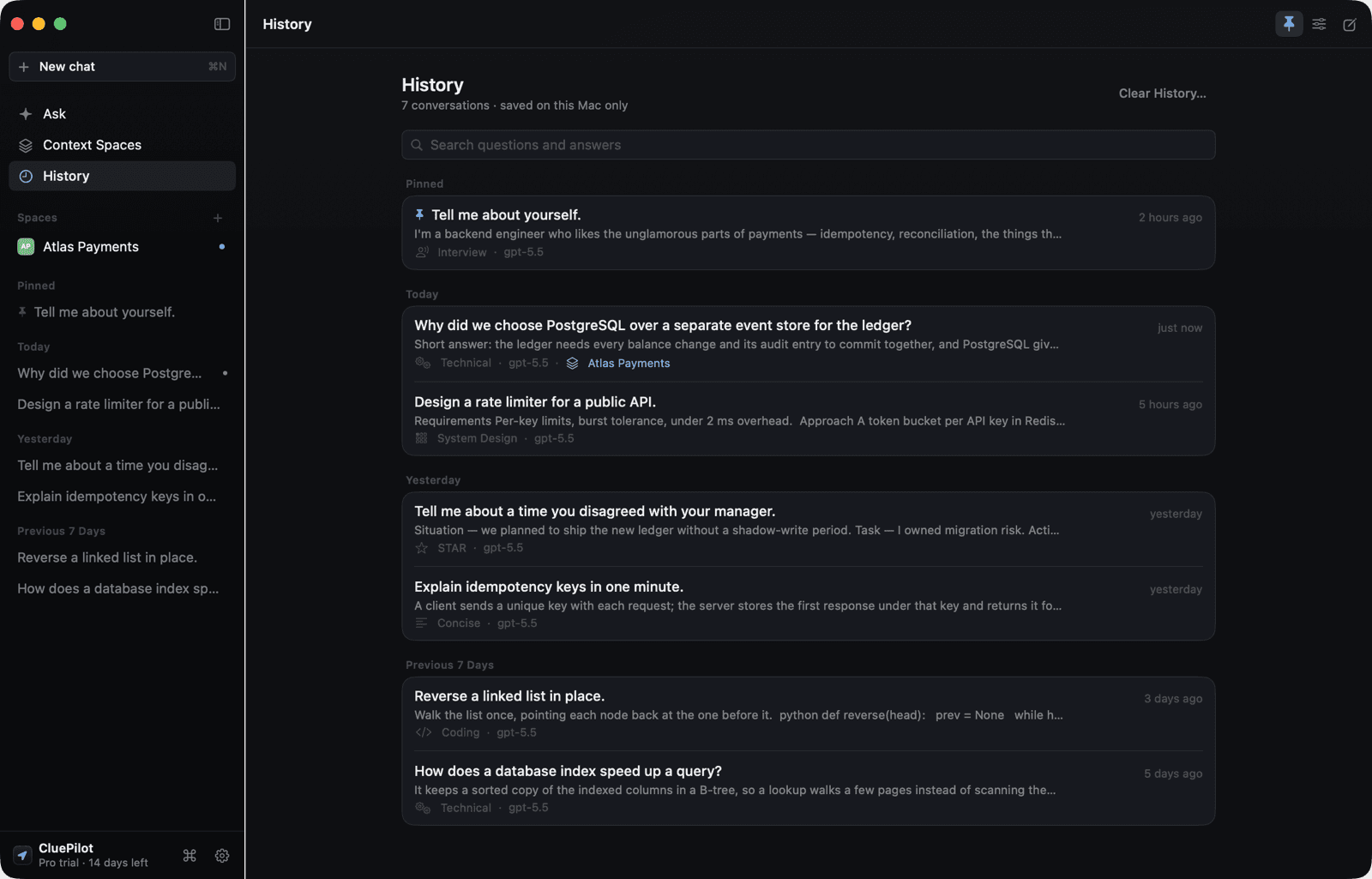
Every finished exchange is saved locally with the provider, model, mode and project it used. Pin what matters, rename, archive the rest, and search all of it.